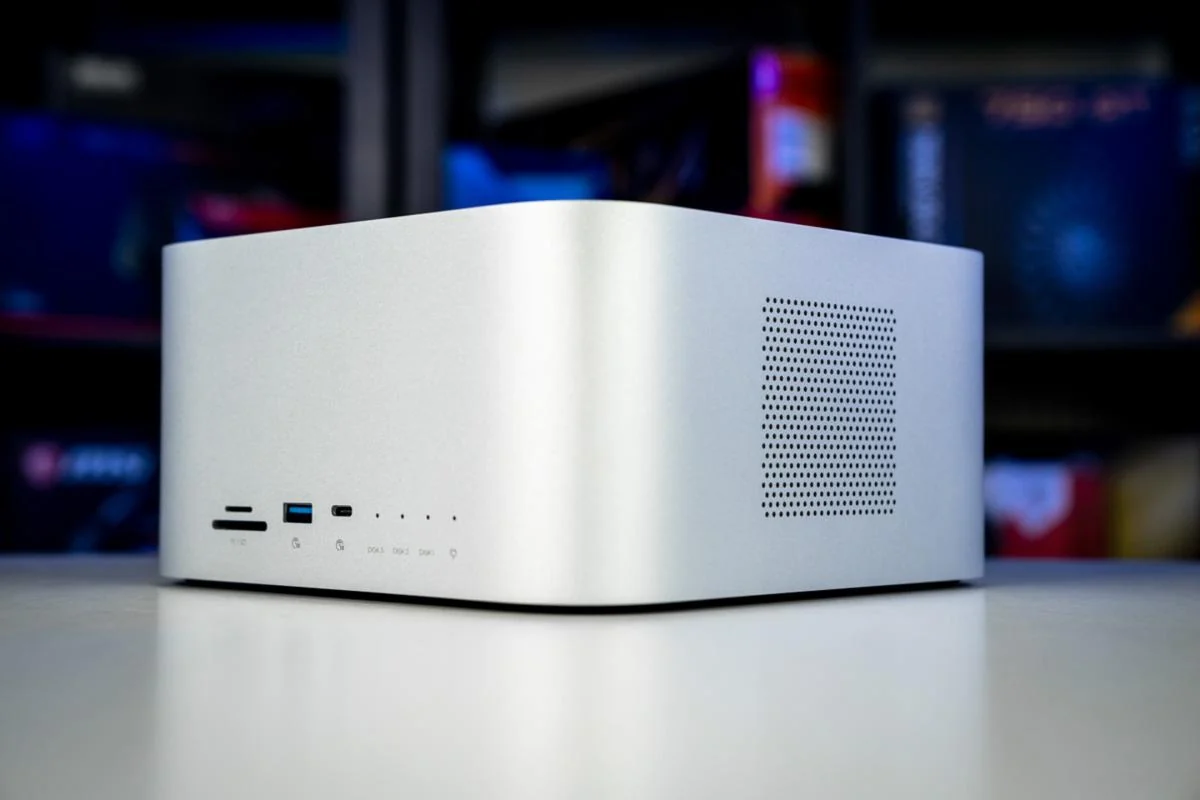
The best Network-Attached Storage (NAS) systems offer multiple drives that function as a single large storage unit. They enhance speed and data redundancy, preventing data loss from hard drive failures. Many modern NAS units also support a combination of SSDs and traditional hard drives to optimize performance and cost.
For individual users, a NAS provides vast storage options with added security features. Many home NAS systems allow for media streaming, enabling users to access TV shows and movies across their network. Whether for editing high-resolution videos, storing extensive photo libraries, or needing expandable secure storage, a NAS serves as an essential hub for creative tasks.
### Selection Overview
Our recommendations include various models tailored for different needs.
For beginners, the Synology DS220+ and TerraMaster F2-423 balance performance with user-friendliness. Advanced users may opt for the QNAP TS-464 or Synology DS923+ for more expandability and networking speed. The QNAP TVS-h874 is ideal for professionals seeking high-performance features for fixed installations, while the OWC Jellyfish Nomad caters to mobile production teams needing portability.
### Recommended NAS Devices
1. **QNAP TS-464**
**Best All-round NAS**
Bottom Line: A flexible choice for growing creators and small teams with a need for speed and future upgrades.
**Pros:** Dual 2.5GbE ports for fast data transfer, two M.2 NVMe slots for SSD caching, HDMI output for direct media streaming.
**Cons:** User interface complexity, noticeable fan noise under load, steeper learning curve for beginners.
**Specifications:** 4 drive bays, dual 2.5GbE LAN ports, Intel Celeron N5101 processor with 8GB DDR4 RAM.
2. **Synology DiskStation DS220+**
**Best Budget NAS**
Bottom Line: Ideal for beginners wanting reliable backups, photo management, and media solutions.
**Pros:** Easy setup, quiet operation, robust first-party apps.
**Cons:** Limited to two bays, lacks fast networking capabilities and SSD caching options.
**Specifications:** 4TB storage capacity (expandable), 2 drive bays, dual 1GbE LAN ports, Intel Celeron J4025 with 6GB DDR4 RAM.
3. **UGREEN DH3400 Plus**
**Fastest Connection**
What We Think: A four-bay NAS with solid connectivity and performance.
**Pros:** Quick setup, dual 2.5-GbE ports for rapid transfers, supports various RAID options, adequate app ecosystem.
**Cons:** Plastic drive sleds, slower Wi-Fi speeds compared to wired connections.
**Specifications:** Powered by an Intel N100 processor, 8GB DDR5 RAM, diverse connectivity options including HDMI output.
4. **TERRAMASTER F2-425**
**Best Budget Alternative**
Bottom Line: Great for budget-conscious creators who need powerful specs.
**Pros:** Dual 2.5GbE ports, M.2 NVMe slots for caching, good hardware value.
**Cons:** Less polished operating system, budget-oriented build quality.
**Specifications:** Up to 60TB storage capacity, Intel x86 quad-core processor with 4GB RAM.
5. **Synology DS224+**
**Best Mid-Range Alternative**
Bottom Line: Provides solid transcoding capabilities in a compact design.
**Pros:** Polished software interface, supports 4K transcoding, dual Ethernet ports.
**Cons:** Limited expansion options with only two bays.
**Specifications:** 8TB storage capacity, dual Gigabit Ethernet ports, Intel Celeron J4125 processor with 2GB DDR4 RAM.
6. **Synology DS923+**
**Best NAS for Photographers**
Bottom Line: Suitable for photographers requiring scalability and robust features.
**Pros:** Comprehensive software tools, dual M.2 NVMe slots, expandable RAM.
**Cons:** Requires add-on for 10GbE speeds, higher price point.
**Specifications:** Four drive bays, AMD Ryzen R1600 processor, up to 32GB DDR4 RAM.
7. **QNAP TVS-h874**
**Best High-End Studio NAS**
Bottom Line: Great for studios needing workstation-class throughput.
**Pros:** High-performance Intel Core processors, expandable PCIe slots, ZFS-based file system.
**Cons:** Large form factor, high power consumption, complex features.
**Specifications:** 160TB+ storage capacity, eight drive bays, Intel Core i5 processor with 32GB RAM.
8. **Asustor AS5404T**
**Best Value 4-Bay NAS**
Bottom Line: A budget-friendly solution with room for growth.
**Pros:** Dual 2.5GbE ports, four bays for RAID configurations, strong media transcoding support.
**Cons:** Noisy fans under load, software interface less polished than others.
**Specifications:** 4 M.2 SSD slots, Intel Celeron N5105 processor with 4GB RAM.
### The Importance of NAS for Creatives
NAS devices are essential for creatives who need central storage that is always accessible. They facilitate organization, streaming, and protecting media files without the hassle of external hard drives. A NAS allows seamless access to files from any networked device, supports remote access, and provides automated backups.
#### NAS vs. Conventional Drives
While direct-attached storage works for single-user setups, NAS options support multiple users, built-in redundancy, and advanced tools for backups and cloud synchronization.
#### The Role of RAID
RAID systems enhance performance and data protection by combining multiple drives into a single volume. Different RAID configurations offer various levels of speed and redundancy, supporting users against potential drive failures.
### What to Consider When Choosing a NAS
Selecting a NAS involves understanding how it will enhance workflow. It's crucial to consider performance expectations and how the system will adapt as needs change. A reliable NAS should act as a central hub, ensuring efficient data management while offering expandable options for the future.
In conclusion, when investing in a NAS, prioritize long-term usability and the quality of software and support from the manufacturer, ensuring that your data remains secure and accessible.